
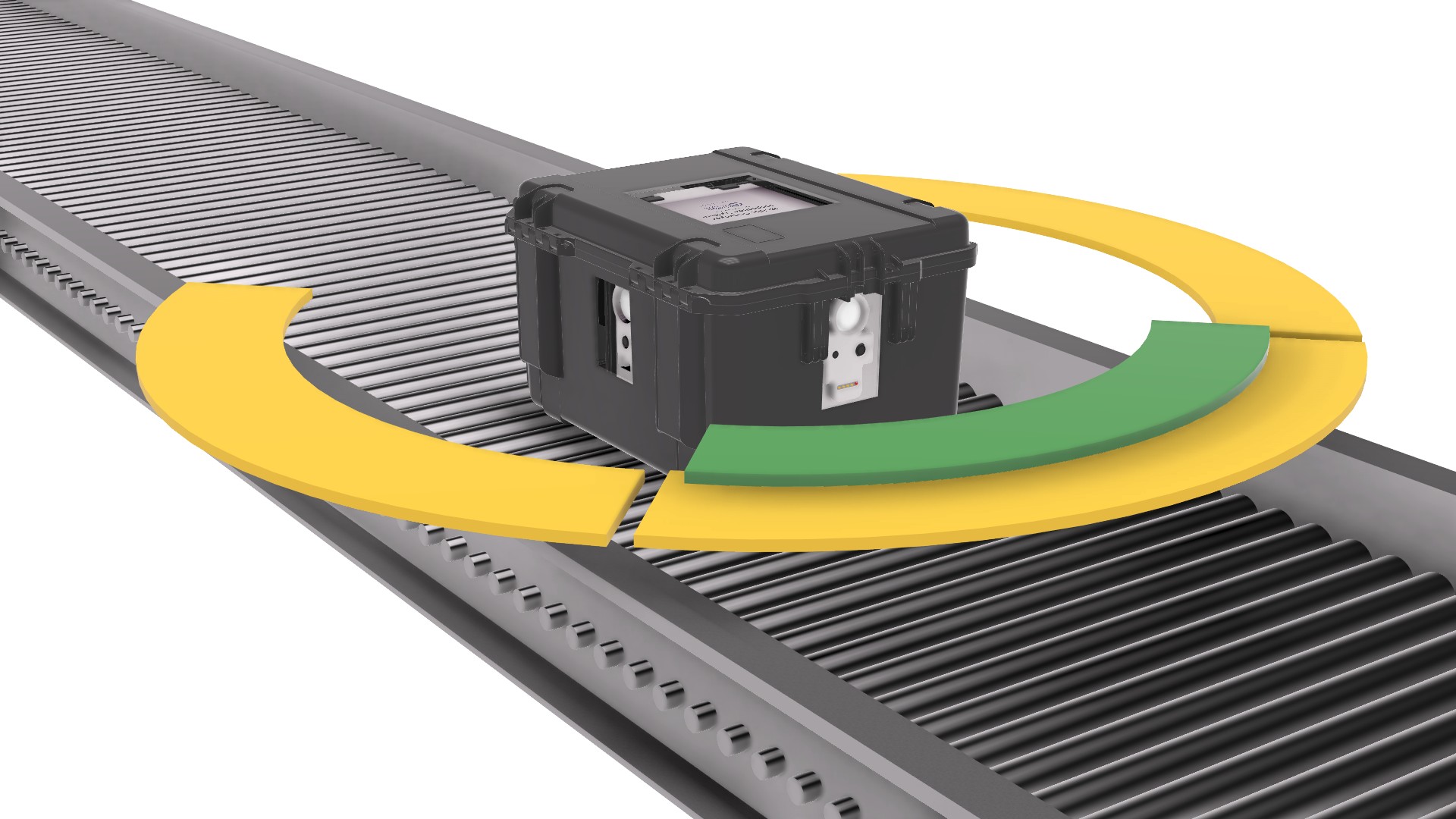
Overview
The Mobile Conveyor Inspection System (MCIS) is TinMan’s mobile, multi‑sensor diagnostic platform engineered to move through your automation exactly as a product would. As it travels, MCIS captures synchronized HD video, thermal imagery, vibration signatures, acoustic patterns, distance measurements, and orientation data — all fused into a single, time‑aligned diagnostic record.
Used by global leaders in ecommerce, manufacturing, logistics, food and beverage, and the baggage handling industry, MCIS exposes mechanical behavior that fixed sensors and periodic manual checks simply cannot see. It enables faster commissioning, earlier anomaly detection, and more predictable maintenance across high‑throughput operations.
MCIS In Action
See real MCIS session output captured across multiple environments — including conveyor systems, manufacturing lines, and airport baggage handling. This short compilation shows how MCIS records synchronized HD video, thermal imagery, and sensor data as it travels through live automation.
How It Works
MCIS is engineered for simplicity in the field and precision under the hood. As it travels the conveyor path, the system captures synchronized video, thermal imagery, sound, and high‑frequency sensor data — all aligned to the millisecond for a complete diagnostic record.
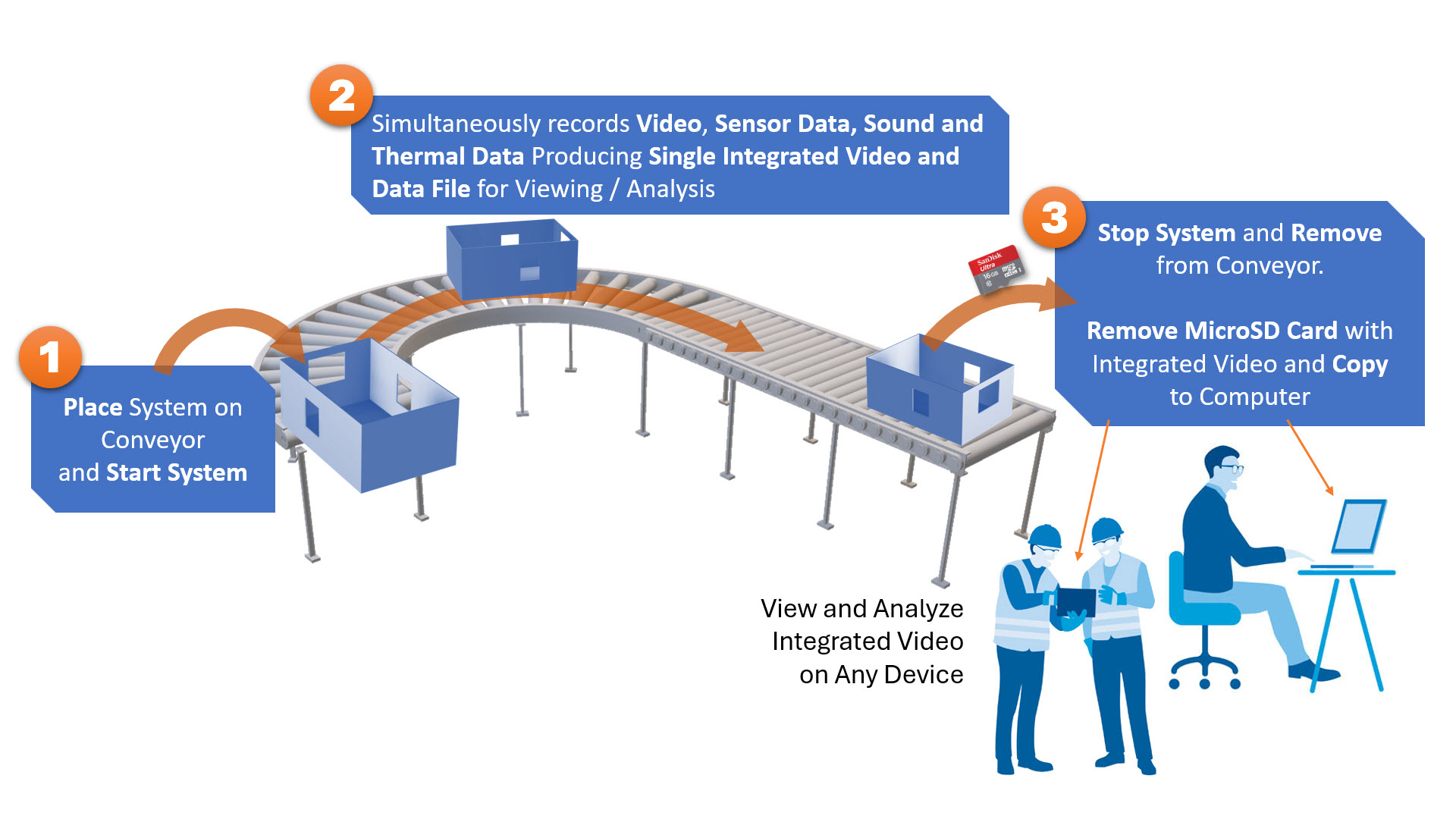
1. Place MCIS on the Conveyor
Set the MCIS inside its host container and power it on. The system initializes all sensors, cameras, and status checks automatically — no calibration or setup required.
2. Let It Travel the System
As MCIS moves, it records synchronized HD video, thermal imagery, sound levels, and high‑frequency sensor data at 80–100 samples per second, capturing vibration, forces, distance, and 3D orientation in real time.
3. Retrieve the SD Card
At the end of the run, simply remove the microSD card. All video, thermal, audio, sensor data, bookmarks, and timestamps are fused into a single, fully synchronized session file.
Sampling Rate: 80–100 synchronized sensor readings per second across all channels.
What Happens Automatically
Behind the scenes, MCIS performs continuous multi‑sensor fusion, timestamp alignment, threshold evaluation, and real‑time event marking — all without operator intervention.
- Millisecond‑accurate synchronization of all sensors, video, thermal, and audio
- Automatic threshold detection and LED indication
- Real‑time bookmarking of anomalies and threshold events
- Integrated data fusion into a single session output
MCIS captures a comprehensive set of synchronized sensor and video streams as it travels the conveyor path. All channels are sampled at 80–100 readings per second and aligned to the millisecond for precise analysis.
Distance (Left / Right)
Dual time‑of‑flight sensors measure side‑to‑side spacing, wall proximity, and conveyor geometry.
Vibration & Forces (X / Y / Z)
3‑axis accelerometer and gyrometer capture vibration signatures, impacts, and mechanical forces.
3D Orientation
Pitch, yaw, and roll track the tote’s rotational behavior and mechanical alignment.
Sound Levels (dB)
Condenser microphone records acoustic patterns to detect grinding, rubbing, and abnormal noise.
Thermal Temperature
Thermal video camera captures temperature variations and hotspots across the conveyor path.
HD Video (3 Streams)
Three wide‑angle HD cameras provide synchronized visual coverage from multiple perspectives.
Thermal Video
Thermal imaging stream aligned to sensor data for temperature‑based anomaly detection.
Audio
Sound waveform synchronized with sensor and video data for correlation with mechanical events.
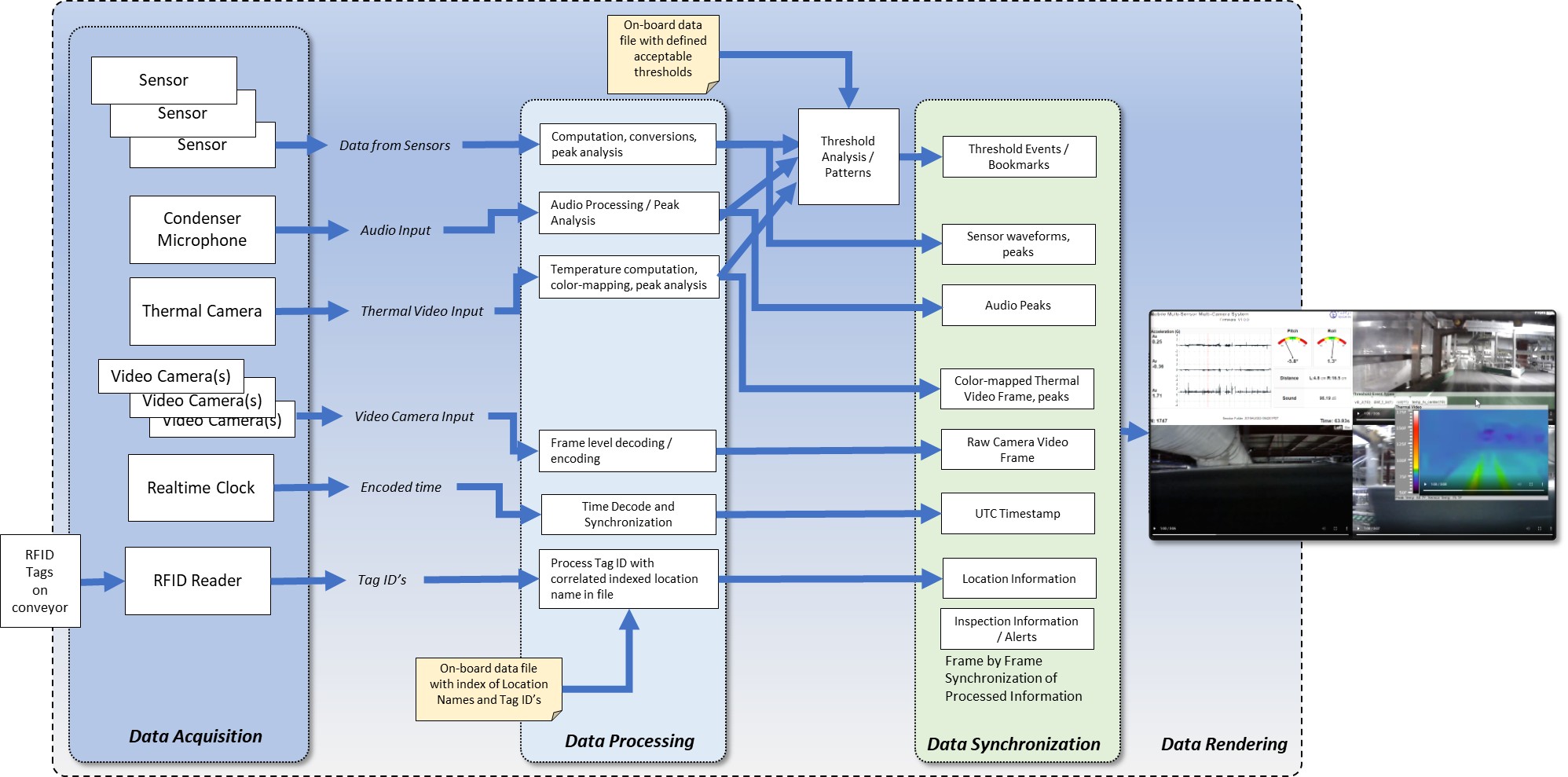
How MCIS Sees the Conveyor
MCIS rides the conveyor as a self-contained diagnostic payload, capturing vibration, acoustic, thermal, video, and positional data in real time, then processing each stream onboard before aligning them frame by frame against a common clock. Thresholds, peaks, and location tags are computed in the device itself, so when an inspection run is reviewed later, operators see a synchronized record of mechanical behavior — waveforms, thermal frames, video, and alerts — all locked to the same timeline and physical location along the conveyor.
Hardware System
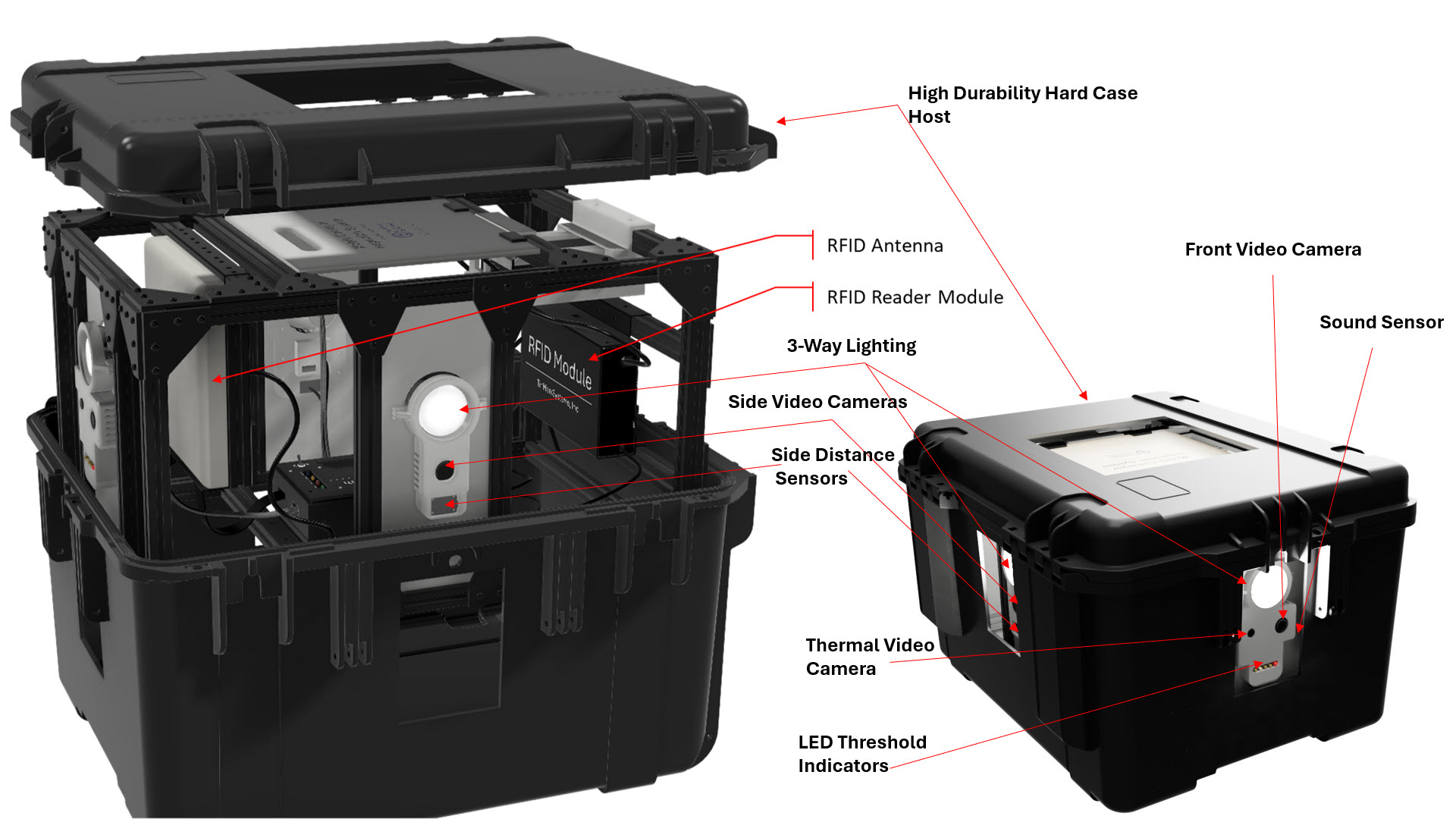
The Mobile Conveyor Inspection System is a tightly integrated hardware platform built around a rugged Main System Controller, a 12/24v rechargeable power brick, and a comprehensive multi‑sensor and camera suite. The system frame houses three wide‑angle HD cameras, a thermal video camera, time‑of‑flight distance sensors, and an inertial sensor cluster (accelerometer, gyrometer, and magnetometer) that together measure distance, vibration, forces, and 3D orientation.
Optional three‑directional 500‑lumen LED lights provide illumination in low‑light environments, while indicator LEDs and system status lights give operators immediate visual feedback on recording state, threshold events, and system readiness. All components are mounted within a sturdy frame designed to protect the electronics and maintain alignment during travel along the conveyor.
Threshold Detection
MCIS continuously evaluates real‑time sensor data against configurable thresholds for vibration, temperature, sound, and orientation. When a threshold is exceeded, the system marks the event instantly and provides both visual and data‑level indicators.
- Threshold Indicator LEDs: Four yellow LEDs illuminate when vibration, orientation, sound, or temperature exceed configured limits.
- Recording LED: A dedicated red LED indicates active recording.
- Video Highlighting: The corresponding moment in the video and thermal feed is visually marked.
- Automatic Bookmarking: A bookmark is inserted into the session timeline for rapid navigation during review.
- Configurable Thresholds: Threshold values are managed via the
config.txtfile on the microSD card.
These real‑time indicators allow operators to identify potential issues immediately and quickly navigate to points of interest during post‑run analysis.
Key Features
- Three wide‑angle HD cameras plus a thermal video camera for full visual and thermal coverage
- Multi‑axis inertial sensor suite (accelerometer, gyrometer, magnetometer) and time‑of‑flight distance sensors
- 12/24v rechargeable power brick battery for uninterrupted operation during inspections
- Threshold indicator LEDs for vibration, orientation, sound, and temperature, plus a dedicated recording LED
- System status LEDs indicating readiness of power, cameras, sensors, and SD card
- Interactive HTML session viewer + CSV raw data export
- Optional three‑directional 500‑lumen LED lighting for dark or enclosed conveyor segments
- Rugged system frame and host container designed for industrial environments
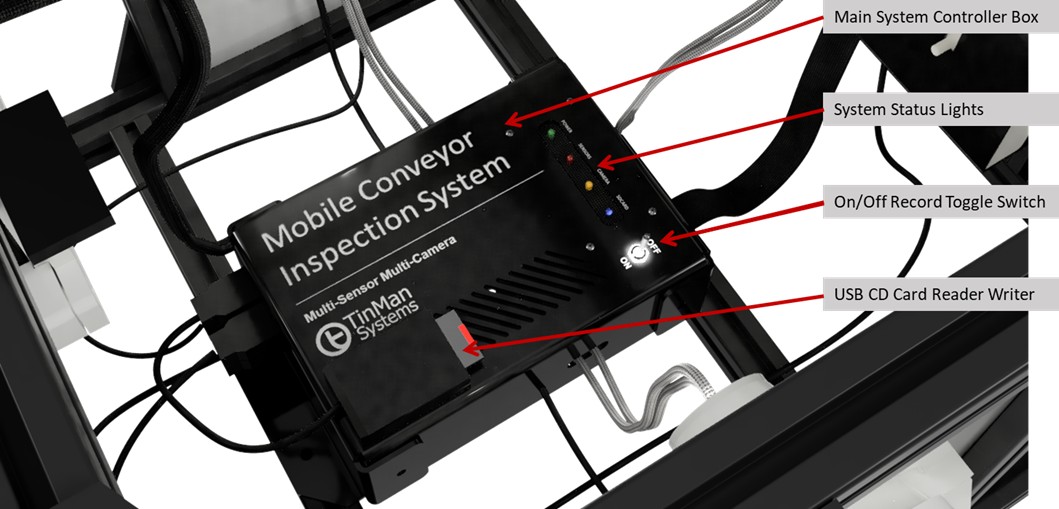
Main System Box
The Main System Box is the core of the Mobile Conveyor Inspection System — a rugged, aluminum‑housed controller that orchestrates every sensor, camera, and subsystem in the MCIS platform. Engineered for durability and field reliability, it protects the processing electronics while maintaining stable, permanent connections to all components, including the HD cameras, thermal camera, LED lighting array, distance sensors, inertial sensors, and the rechargeable power system.
Inside the enclosure, all wiring and connectors are factory‑secured and never require user adjustment.
The Main System Box manages synchronized data acquisition, sensor fusion, threshold detection, and recording control,
while the integrated USB card reader/writer and microSD slot handle all session storage and configuration (including the config.txt file).
This sealed, self‑contained design ensures consistent performance, eliminates setup errors, and allows operators to deploy MCIS confidently in demanding industrial environments.
Portable by Design
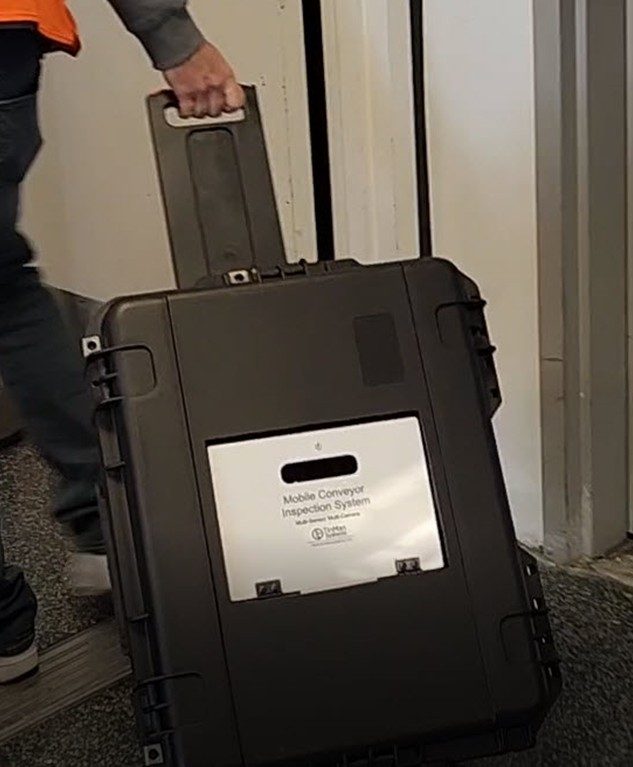
The hard‑case MCIS includes a retractable handle, easy carry handle, integrated wheels, and wheel lock pins, making it simple to move the system between inspection zones while keeping it stable during operation — ideal for large warehouses, multi‑building facilities, and long‑distance baggage handling and conveyor systems.
Typical Findings
MCIS commonly identifies issues such as:
Overtightened, misaligned, or damaged belts
These conditions increase friction, heat, and wear — often leading to premature belt failure, tracking issues, and unplanned downtime.
Overheating or overloaded motors
Thermal spikes reveal mechanical drag or electrical imbalance long before failure, preventing costly motor replacements and system stoppages.
Failing or seized roller bearings
Bearing degradation creates vibration signatures early, allowing teams to prevent jams, belt damage, and catastrophic line shutdowns.
Catch points, pinch points, and congestion zones
These areas slow throughput, damage packages, and create safety hazards that can escalate into full system stoppages.
Overhang obstructions and foreign object interference
Unexpected protrusions or debris can strike carriers, damage belts, or trigger cascading jams across the line.
Environmental anomalies (lighting, debris, airflow)
Poor lighting, dust accumulation, or airflow disturbances can affect sensors, reduce read rates, and degrade system reliability.
Loose or stuck packages (amnesty detection)
Packages that stall or wedge in the system can cause jams, misroutes, and downstream congestion.
Tuning and timing issues across merges, diverts, and speed transitions
Mis‑timed handoffs reduce throughput efficiency and increase the risk of collisions, recirculation, or mis‑sorts.
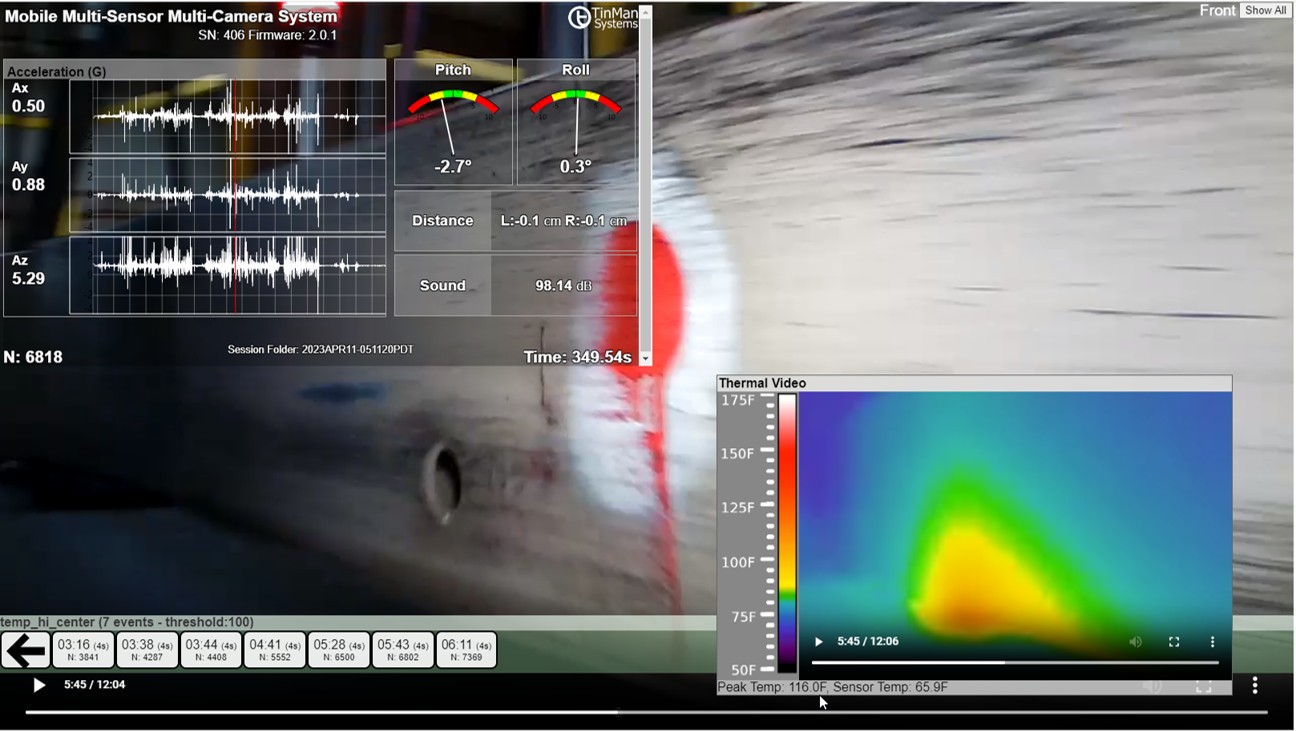
MCIS reveals mechanical behavior that fixed sensors miss — from thermal hotspots and vibration spikes to belt misalignment and timing issues across the line.
Session Output
Every MCIS run becomes a fully synchronized, multi‑modal record of mechanical behavior — combining HD video, thermal imaging, sound, and high‑frequency sensor data into a single, time‑aligned session.
Each MCIS run produces two synchronized output files stored on the microSD card: an interactive HTML session viewer and a CSV file containing raw sensor data. Both outputs are aligned to the millisecond and indexed by sample number.
HTML Session Viewer
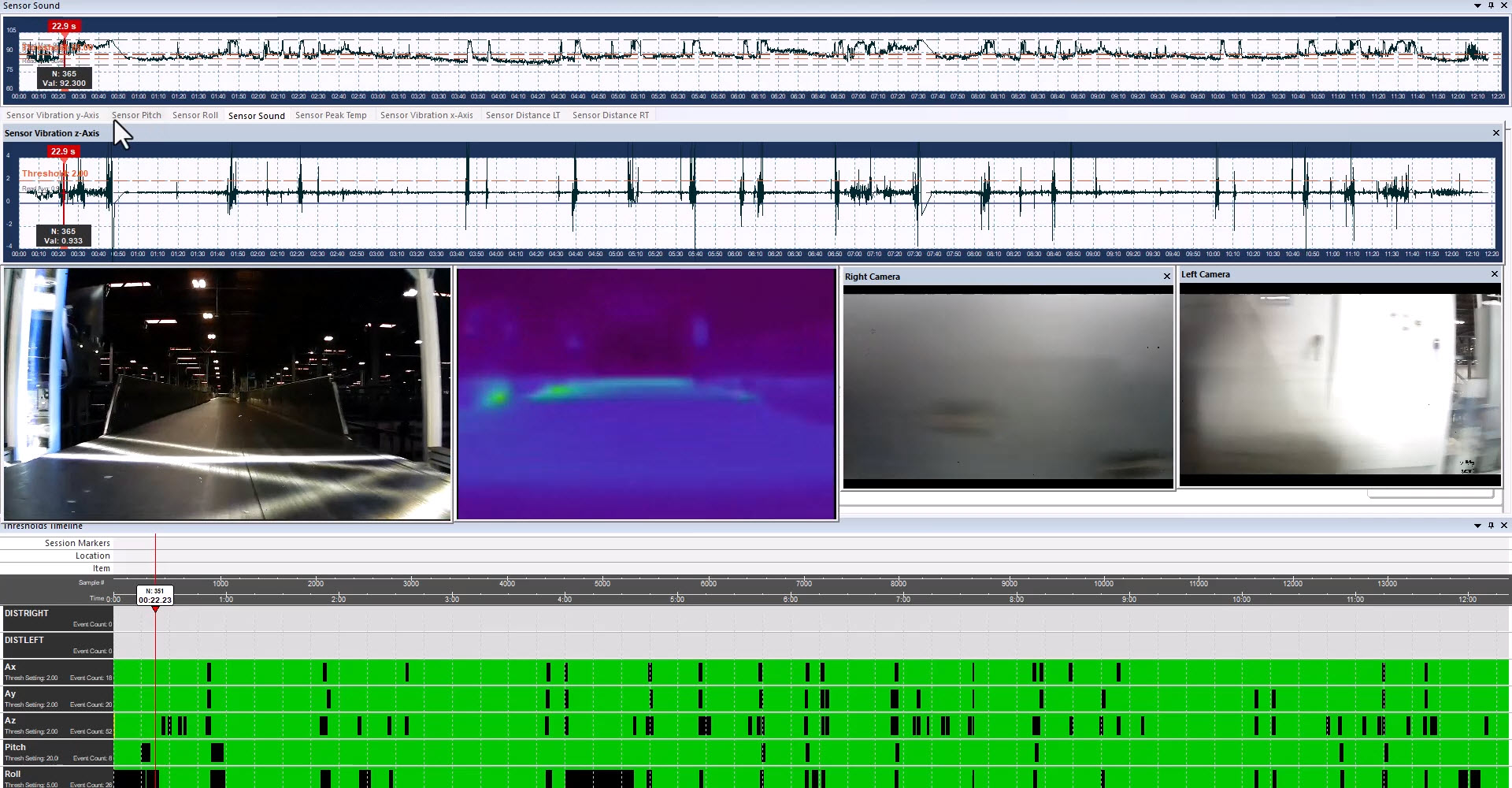
The HTML viewer presents all three HD video streams, thermal video, sound waveform, and every sensor channel on a single synchronized timeline. Engineers can scrub through the session, expand the thermal video, and jump directly to threshold events and bookmarks.
- Three synchronized HD video feeds
- Thermal video with drag‑to‑resize capability
- Full sensor readout displayed at each frame
- Millisecond timestamps and sample numbers
- Bookmark navigation for threshold events and anomalies
- Location data displayed when available
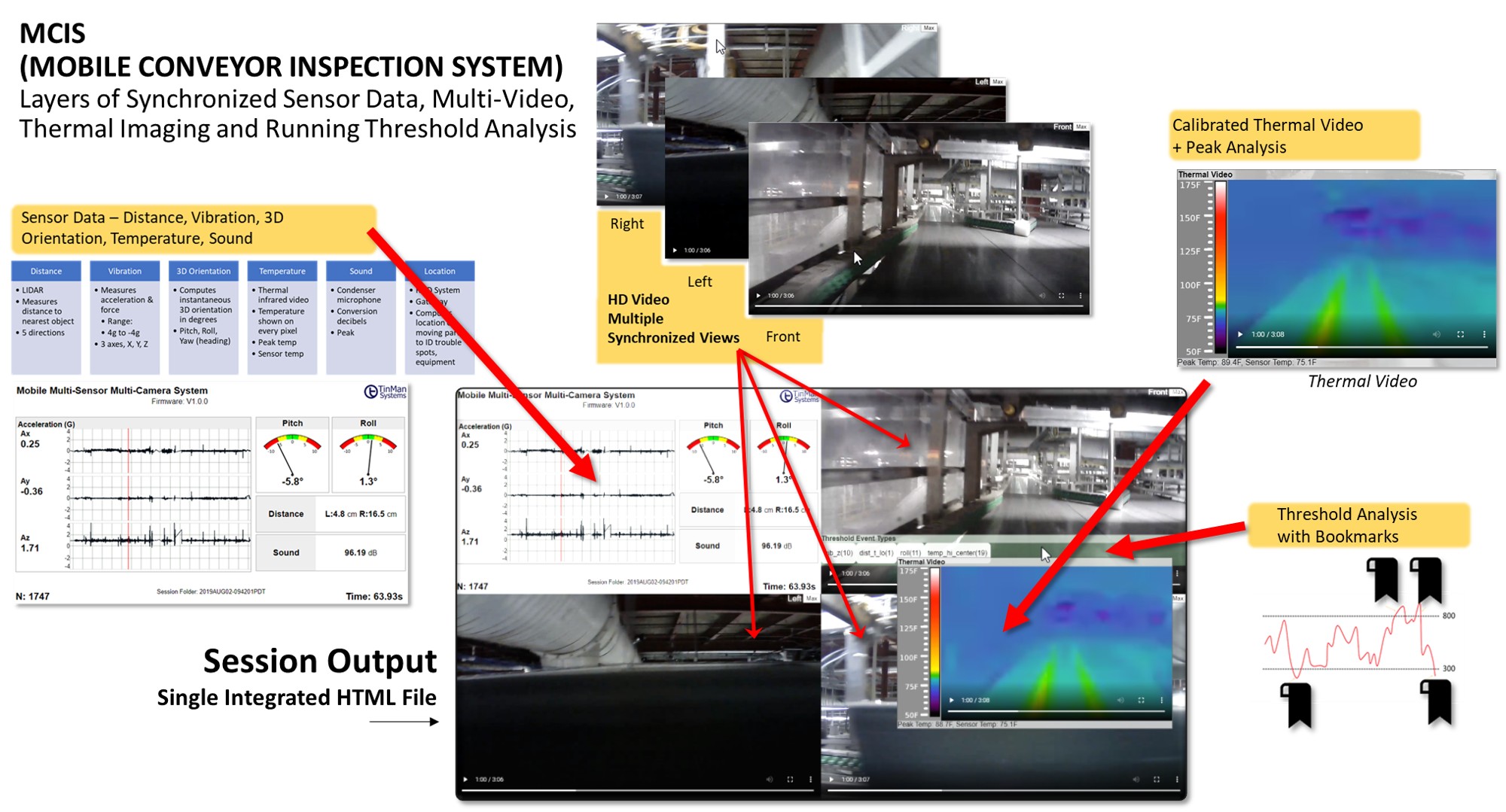
The interactive HTML Session Viewer displays synchronized HD video, thermal imaging, sound, and all sensor channels with millisecond timestamps and bookmark markers.
CSV Raw Data Output
The CSV file contains all raw sensor values recorded during the session, organized by sample number and timestamp. This file is ideal for engineering analysis, long‑term trend tracking, and integration with external tools.
- 80–100 samples per second across all channels
- Distance, vibration, forces, orientation, sound, and temperature values
- Sample number and millisecond timestamp for each row
- Compatible with engineering tools and data pipelines
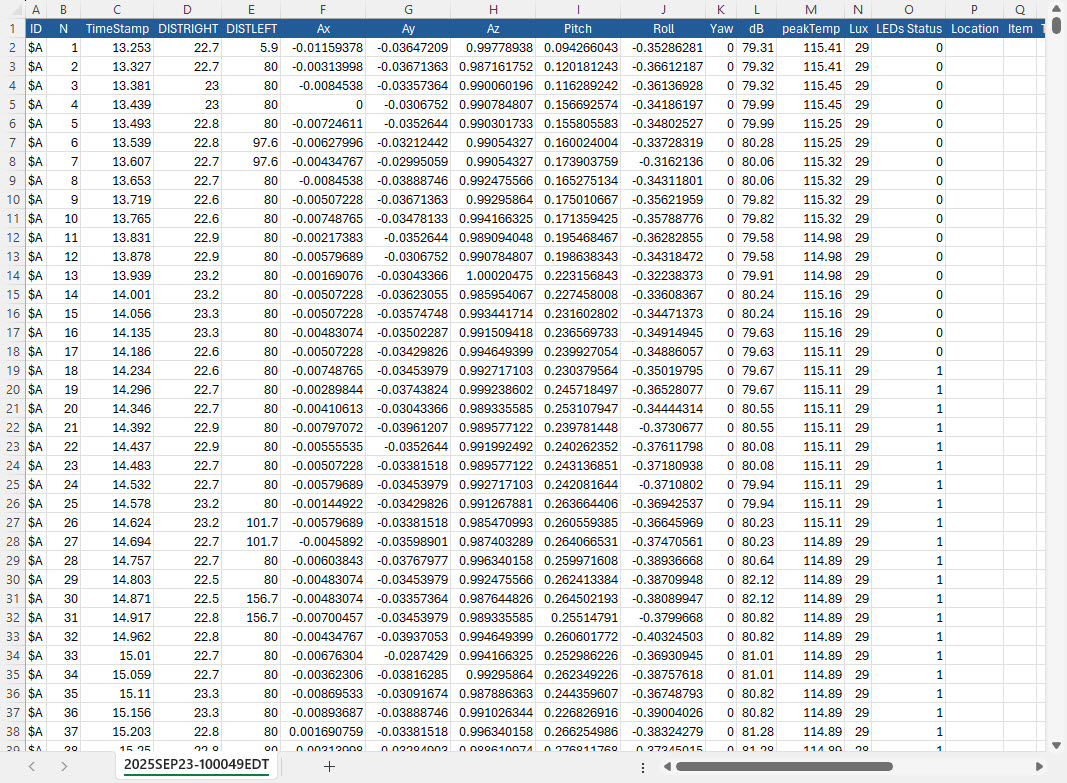
Raw sensor data exported as a CSV file for engineering analysis and long‑term trend tracking.
MCIS Session Analyzer Pro (Coming Soon — Optional Add‑On)
MCIS Session Analyzer Pro is an upcoming optional desktop application designed for engineering teams and technical users who require deeper analytical control over MCIS session data. Built to extend the capabilities of the Mobile Conveyor Inspection System, Analyzer Pro provides a structured environment for detailed investigation, validation, and reporting.
MCIS Expert Session Analysis Service
TinMan now offers a professional Session Analysis Service for organizations that need engineering‑grade insight immediately. Full details are available at Session Analsysis Service
Simply upload your MCIS session folder, and our engineering team delivers a full diagnostic report with the same precision, traceability, and interpretive depth that powers our internal Analyzer workflows.
- Complete session‑folder diagnostics across all sensor, thermal, video, and metadata files, validating structure, integrity, and expected data ranges.
- Full statistical summary for vibration, thermal, inertial, distance, and audio channels, including min/max, RMS, variance, and stability indicators.
- Histogram‑based centering analysis that evaluates how each sensor clusters around its expected operating baseline. For example, Z‑axis vibration should center tightly around 1.0, indicating a level conveyor and minimal vertical oscillation. Deviations, skew, or multi‑peak clustering are flagged and interpreted in engineering terms.
- Interpretive engineering commentary translating raw data into operational meaning — identifying drift, imbalance, thermal loading, orientation bias, or mechanical signatures that emerge from the clustering and distribution patterns.
- Anomaly and pattern detection across the full conveyor run, highlighting recurring vibration signatures, thermal hotspots, orientation shifts, or distance‑sensor irregularities.
- Threshold event mapping with timing, sensor source, severity, and recommended follow‑up actions.
- Marker‑level insights including supporting video, thermal, and sensor snapshots for each point of interest.
- Export‑ready engineering report suitable for maintenance planning, commissioning documentation, audits, and cross‑team technical review.
The Session Analysis Service provides immediate access to the same analytical depth that will power the upcoming MCIS Session Analyzer Pro software — enabling teams to make informed, data‑driven decisions without installing any tools.
MCIS Session Analyzer Pro (Coming Soon)
- Multi‑run comparison for evaluating system behavior across repeated tests, commissioning cycles, or environmental changes.
- Anomaly clustering to identify recurring vibration, thermal, or orientation patterns across long conveyor stretches.
- Sensor‑level overlays enabling precise correlation between video, thermal, vibration, distance, and inertial data.
- Advanced filtering and segmentation for isolating specific time windows, sensor channels, or threshold events.
- Export‑ready engineering reports for documentation, maintenance planning, and cross‑team review.
- Full time‑series visualization of all raw sensor channels, plotted in synchronized charts that update as the user scrubs through the session.
- Integrated video‑data navigation, allowing engineers to follow the video, thermal feed, and sensor plots simultaneously and jump directly to points of interest, threshold events, or anomalies.
Analyzer Pro elevates the Mobile Conveyor Inspection System from a field‑ready diagnostic device to a full analytical platform for organizations that require engineering‑grade insight, traceability, and data‑driven evaluation.
Form Factors
MCIS is available in multiple form factors to match the geometry, durability requirements, and operational constraints of your conveyor system. Each option preserves full diagnostic capability while adapting the platform to your facility’s native carriers and mechanical environment.
Soft Case
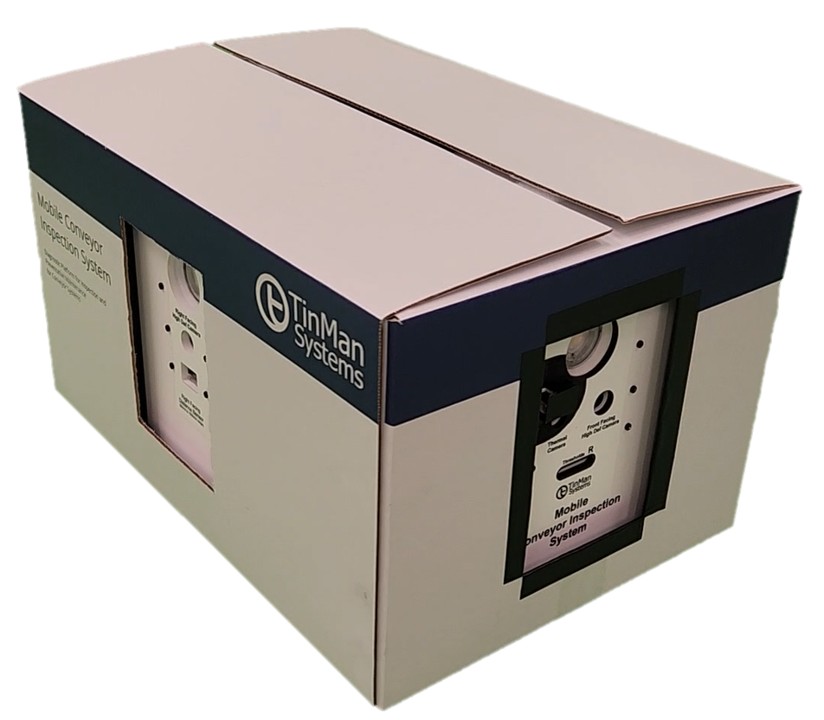
A lightweight, flexible form factor using a custom‑sized, precut cardboard host container. Ideal for quick inspections, rapid deployment, and environments where portability and low weight are priorities.
Hard Case
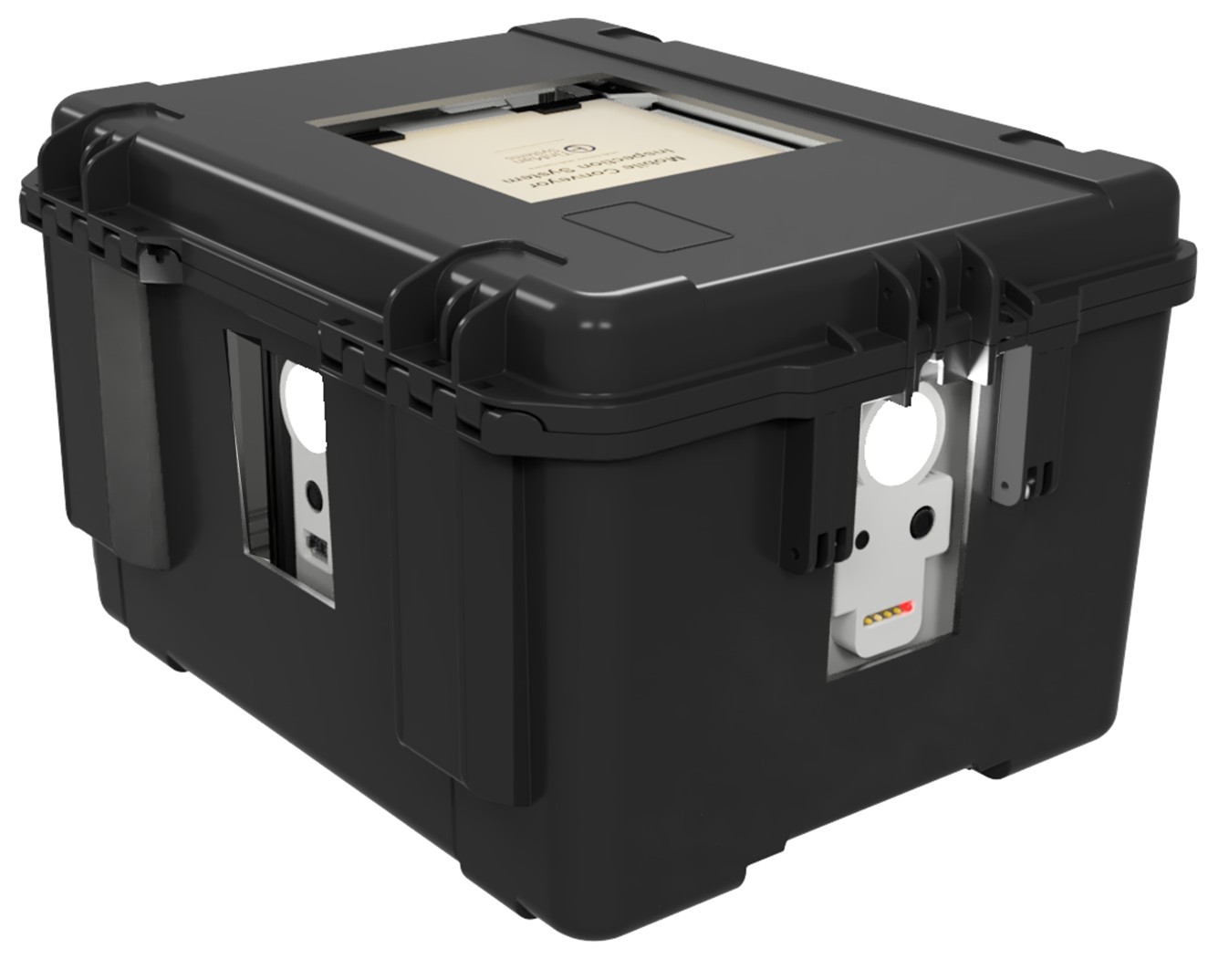
A rugged, heavy‑duty plastic enclosure engineered for harsh environments such as baggage handling and high‑impact conveyor systems. Includes a retractable handle and rear wheels for safe transport between inspection zones.
Customer Tote as Case
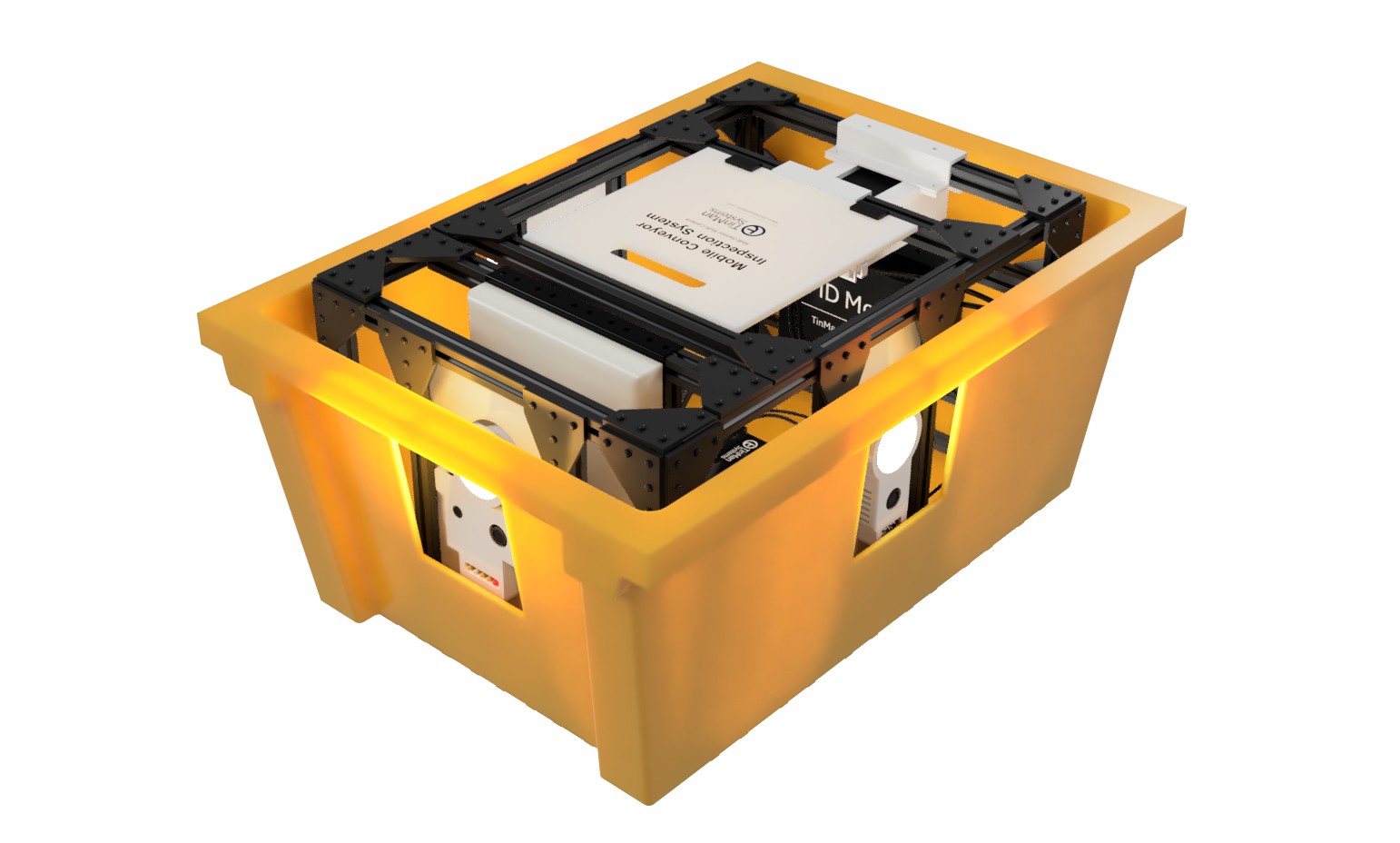
MCIS integrated directly into your native tote for near‑exact force, vibration, and geometry replication. TinMan Systems performs all cutting and sizing, ensuring perfect compatibility with your existing conveyor carriers.
Mini / Custom Size
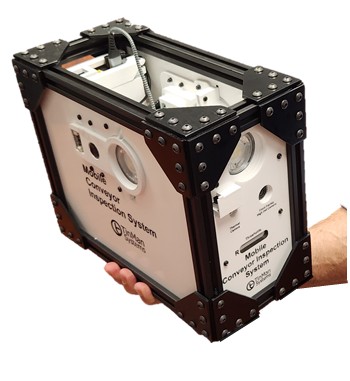
A compact MCIS variant for narrow conveyors and small‑package or food‑and‑beverage logistics. Retains full diagnostic capability in a reduced footprint, with sizes as small as 6×10×8 inches depending on sensor requirements.
Color Options
MCIS cases are available in multiple colors for fleet management and easy identification.
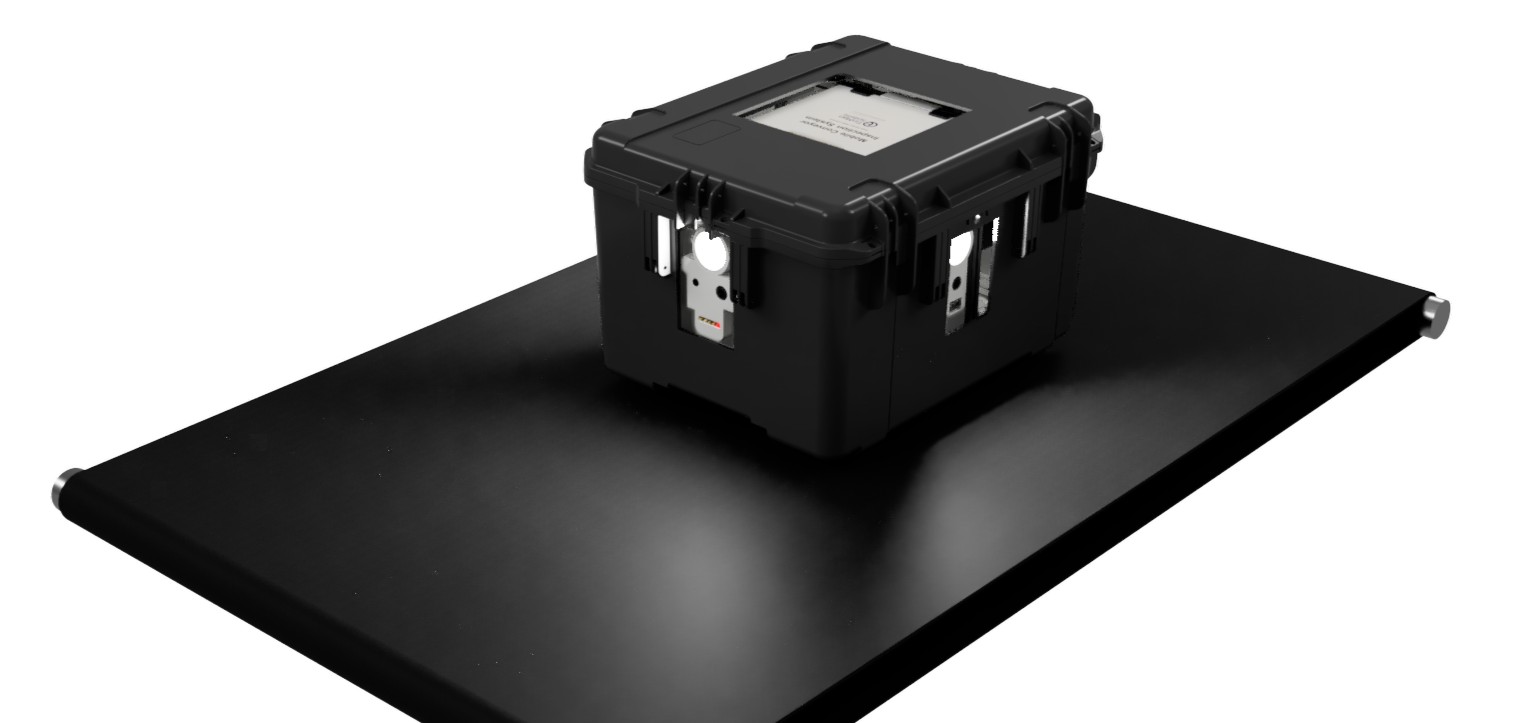
Black
Standard rugged case.
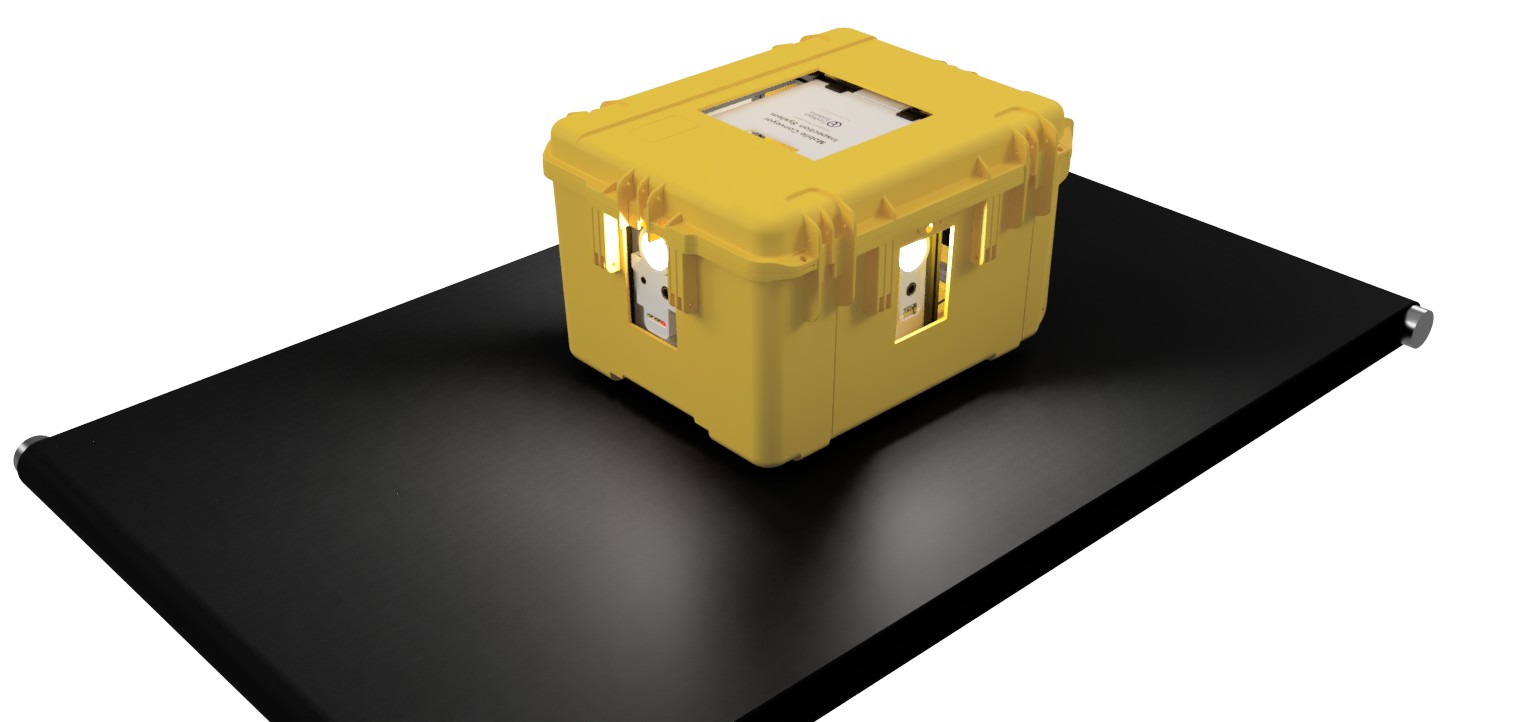
Yellow
High‑visibility option for busy operations.
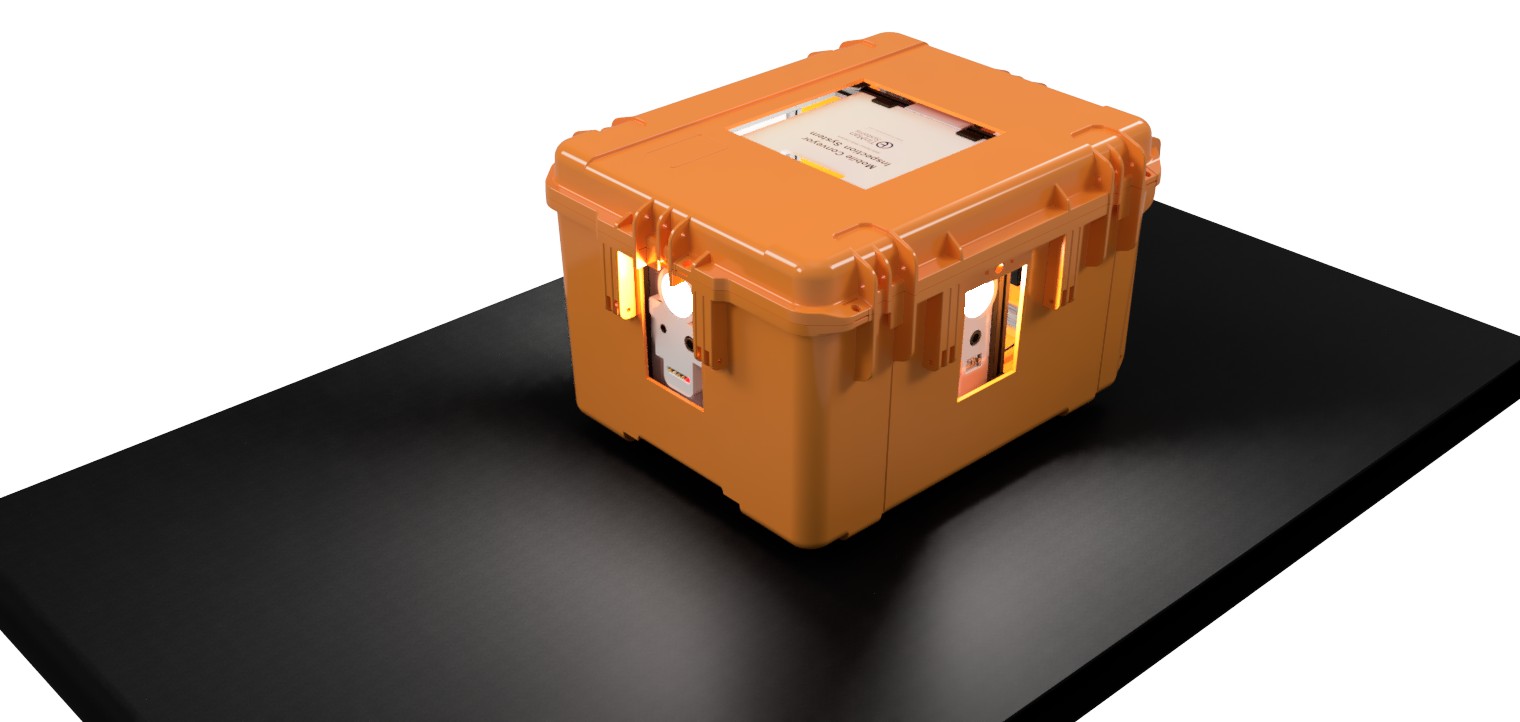
Orange
Ideal for safety, emergency, or restricted‑zone identification.
Deploy MCIS in Your Operation
Deploy the Mobile Conveyor Inspection System in your operation and gain a first‑person view of mechanical health across your automation. TinMan’s team is available to discuss your specific environment, answer technical questions, and walk through live MCIS session output in real time.
For organizations evaluating MCIS for deployment, we can also explore options for an onsite demonstration at your distribution, manufacturing, baggage‑handling, or logistics facility, subject to scheduling and operational feasibility.